> ## Documentation Index
> Fetch the complete documentation index at: https://docs.zero-x.cloud/llms.txt
> Use this file to discover all available pages before exploring further.
# 3.3 Permissions
### Step 10 :- On the same Page i.e. Security Findings > Cloud security
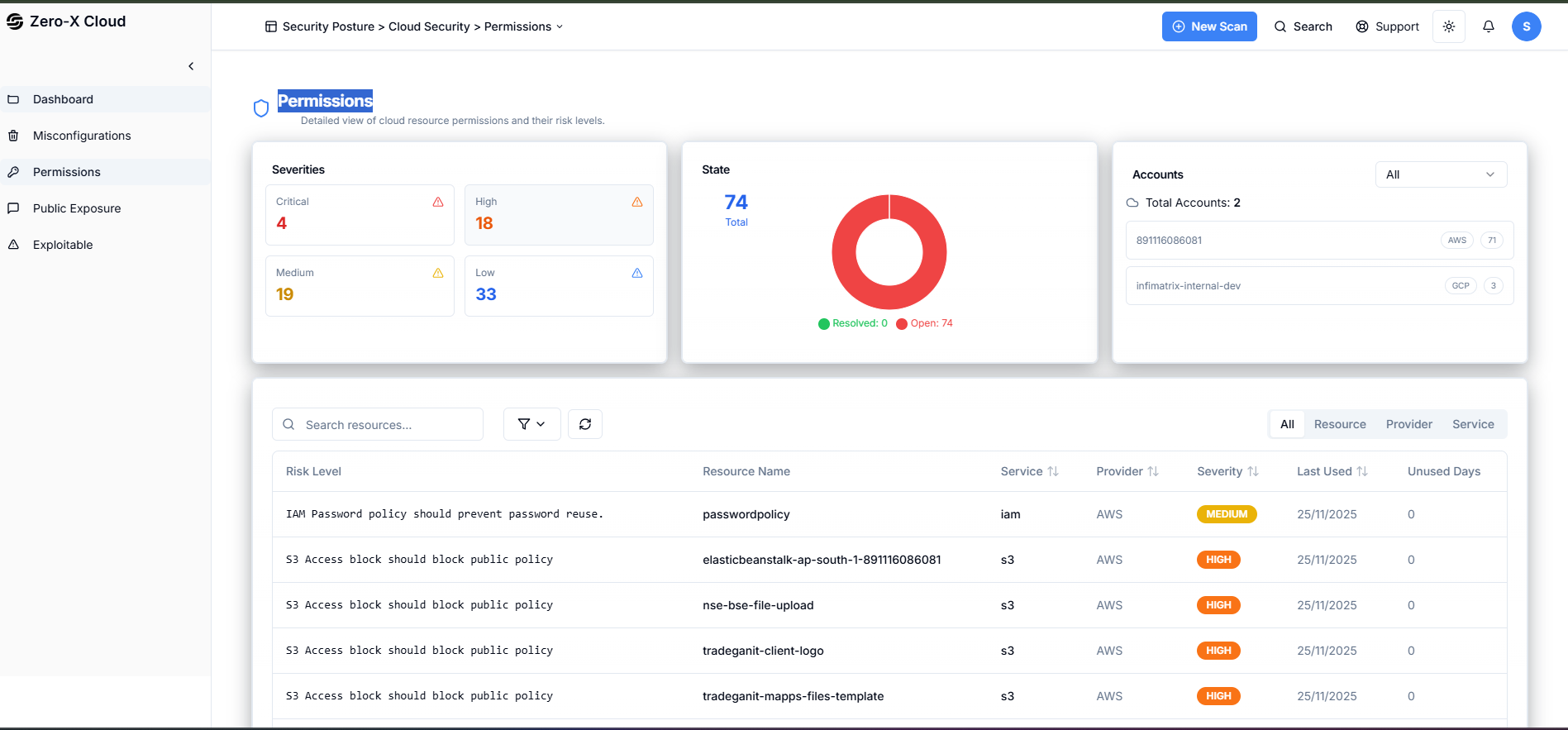
**Step 1 :-** In the left side menu you can see Permissions.
**Step 2 :-** Select Permissions
**Step 3 :-** You can see Dashboard here
Security Findings > Cloud Security > Permissions
Here, we can see the Permissions, risk level, serverity, resource name.
IAM User permission
S3 bucket publicly accessible