> ## Documentation Index
> Fetch the complete documentation index at: https://docs.zero-x.cloud/llms.txt
> Use this file to discover all available pages before exploring further.
# 9.2 Frameworks
### 5.2 Frameworks
**Step 1 :-** Go to left side menu of Compliance dashboard
**Step 2 :-** 2nd option is Framework
**Step 3 :-** Select Framework
Compliance >Dashboard >Framework
There are 4 Frameworks are configured
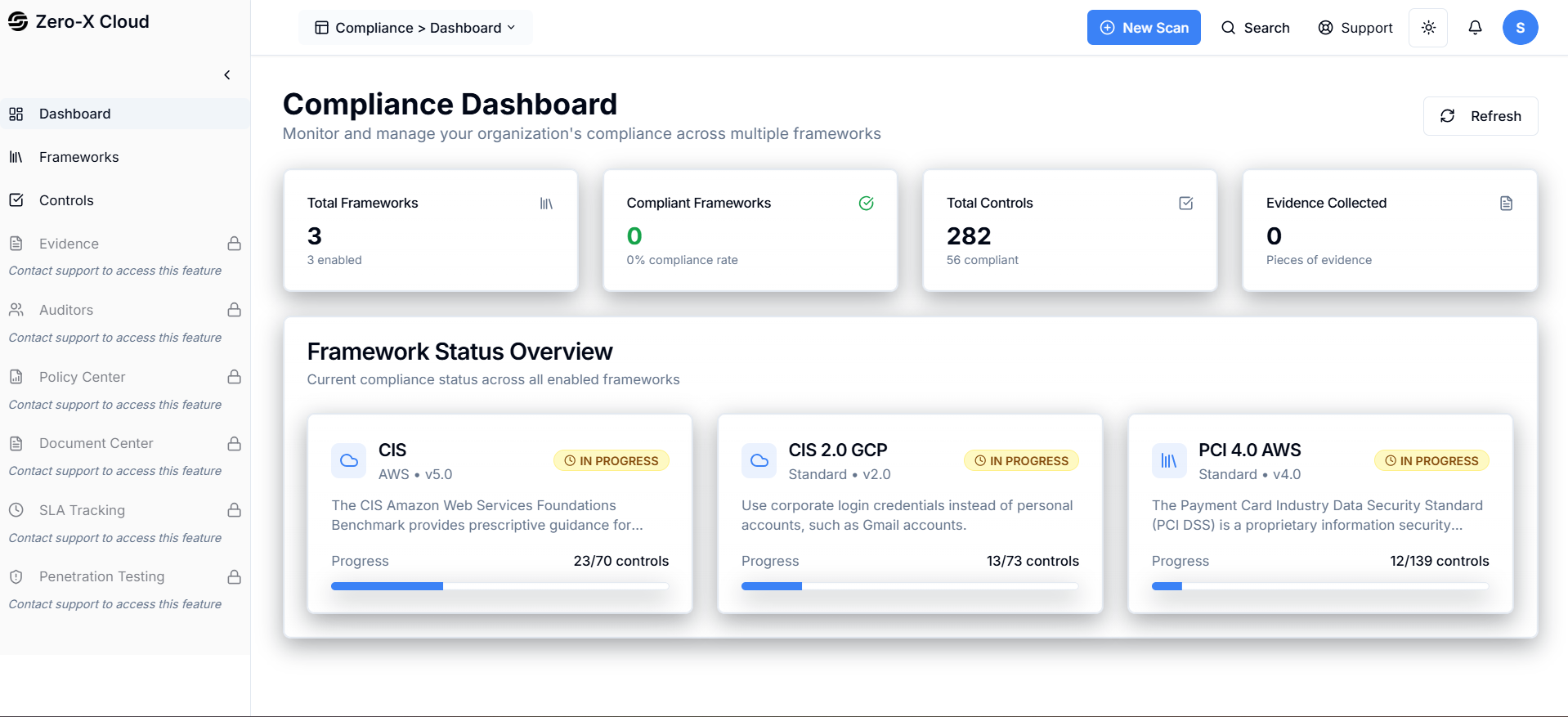 **Step 4 :-** If you want to check framework then
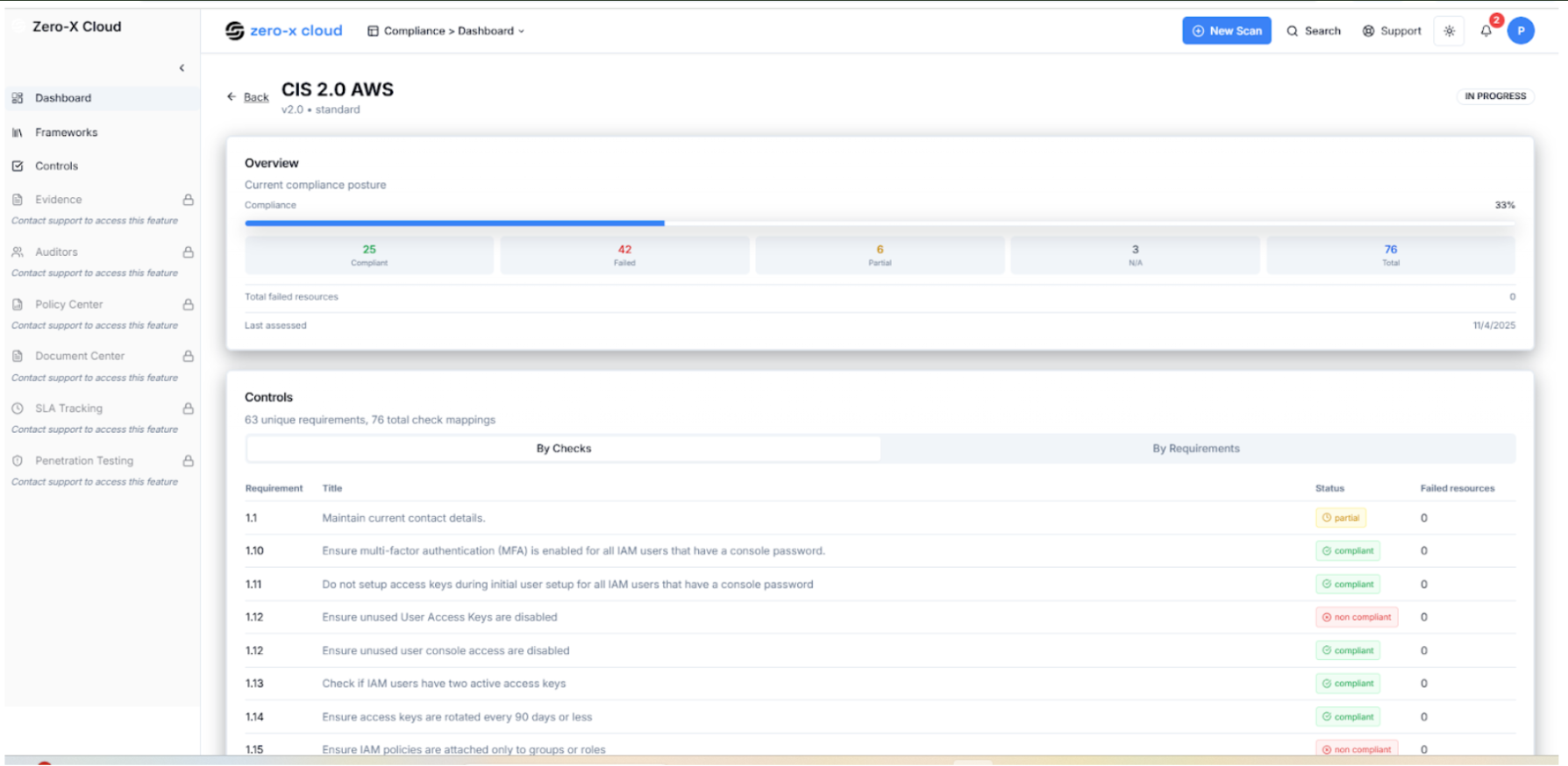
**Step 5 :-** just clicked on CIS 2.0 AWS
**Step 6 :-** You ll get list of checks mapping
Like given below
Here, You can Status (Complient Non Complient ) and failed Resources
 **Step 7 :-** Same way you can different framework in one click
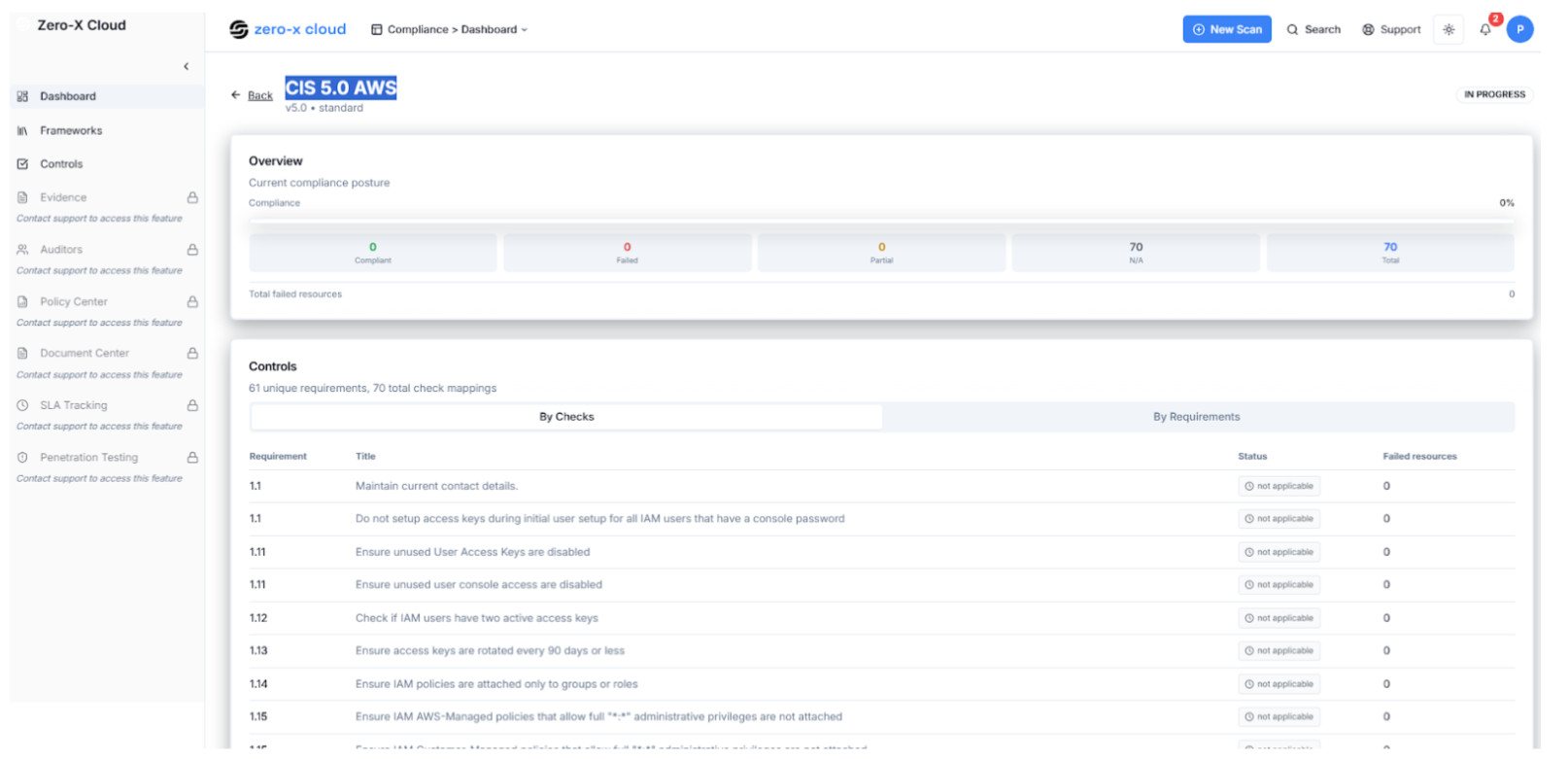
**Step 8 :-** 2nd is CIS 5.0 AWS
Same columns are here like compliant and status
 **Step 9 :-** Same way you can different framework in one click
**Step 10 :-** 3rd is ISO 27001
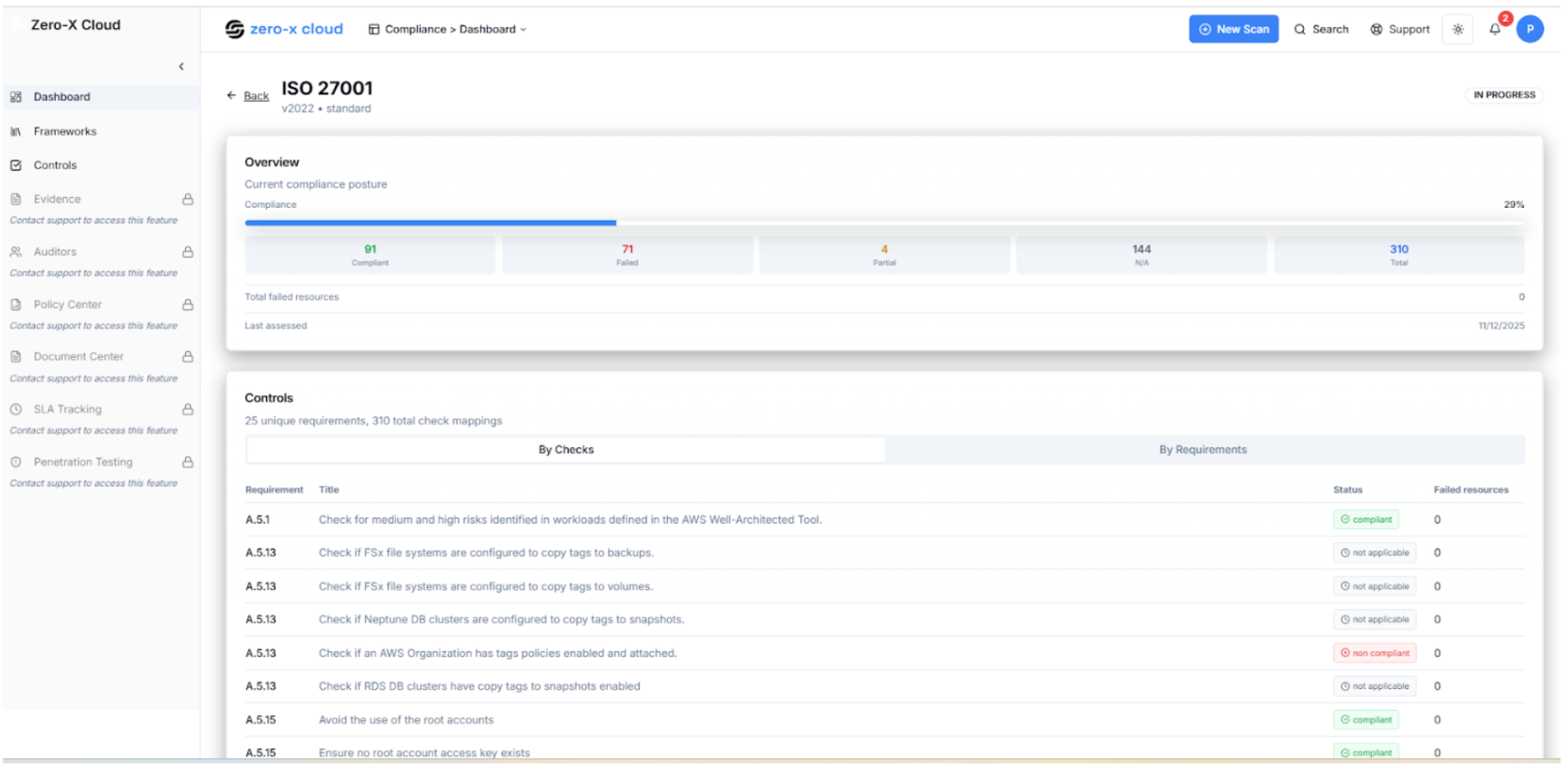 **Step 11 :-** Again on same framework page
**Step 12 :-** You can select PCI 4.0 AWS
You can Status (Complient\*\*Non Complient ) and failed Resources
 5.3 Compliance Controls
**Step 1 :-** Go to left side menu of Compliance dashboard
**Step 2 :-** 3rd option is Controls
**Step 3 :-** Select Controls
Compliance >Controls
The Compliance Dashboard allows you to monitor and manage your adherence to various industry standards and frameworks.
All controls from enabled compliance frameworks
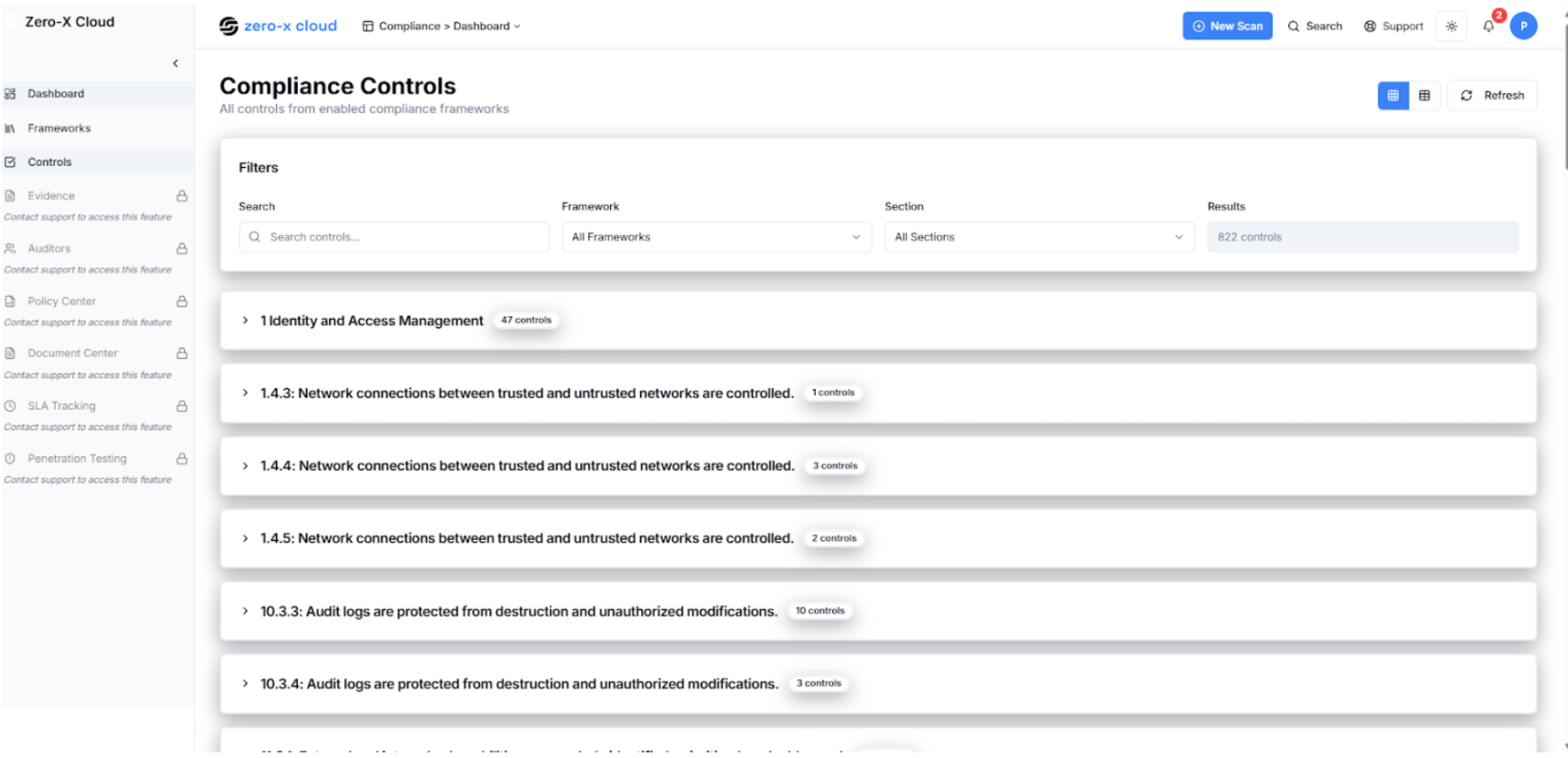 Here we can see different type of Compliance like (IAM,EC2,S3,VPC or any network etc)