> ## Documentation Index
> Fetch the complete documentation index at: https://docs.zero-x.cloud/llms.txt
> Use this file to discover all available pages before exploring further.
# 1.1.9 Gitlab
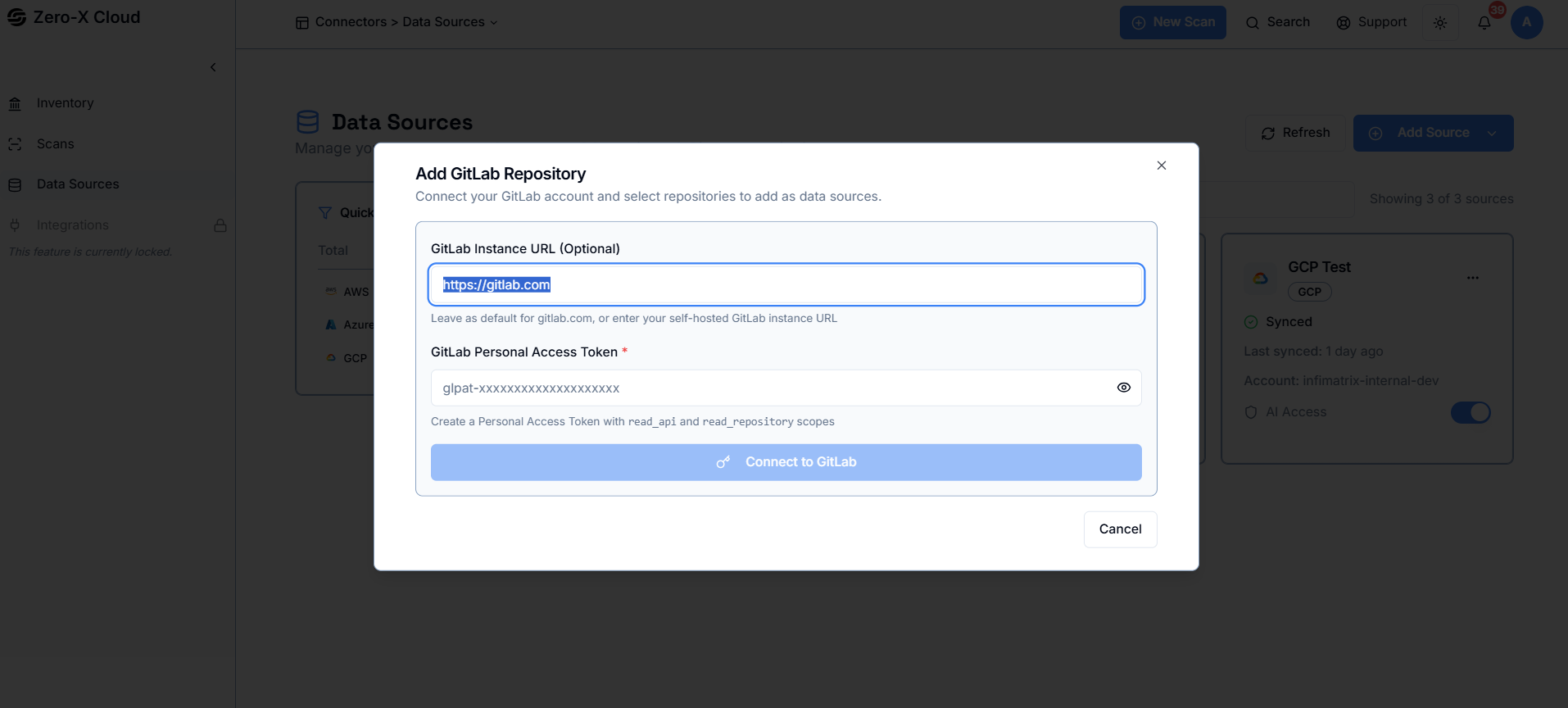 **Step 1 :-** Enter your GitLab instance URL. Keep the default if you're using GitLab.com, or provide your self-hosted URL.
**Step 2 :-** Create a GitLab Personal Access Token with read\_api and read\_repository scopes, then paste it into the token field.
**Step 3 :-** Connect your GitLab account to allow Zero-X to access and list your repositories.
**Step 4 :-** After connecting, select the repositories you want Zero-X to scan and monitor.