Step 10 :- On the same Page i.e. Security Findings > Cloud security
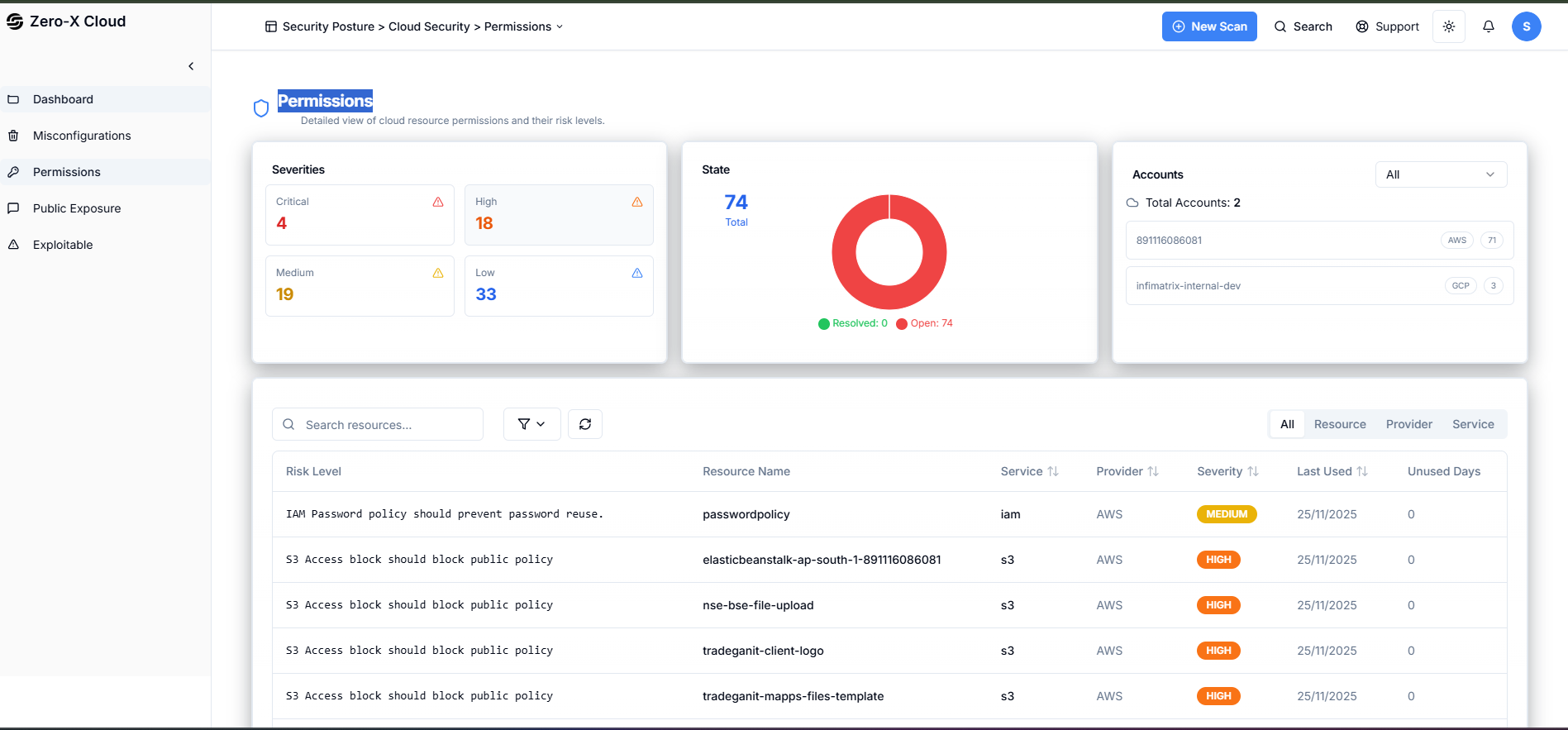
Step 1 :- In the left side menu you can see Permissions.Step 2 :- Select Permissions
Step 3 :- You can see Dashboard here Security Findings > Cloud Security > Permissions Here, we can see the Permissions, risk level, serverity, resource name. IAM User permission S3 bucket publicly accessible