5.2 Frameworks
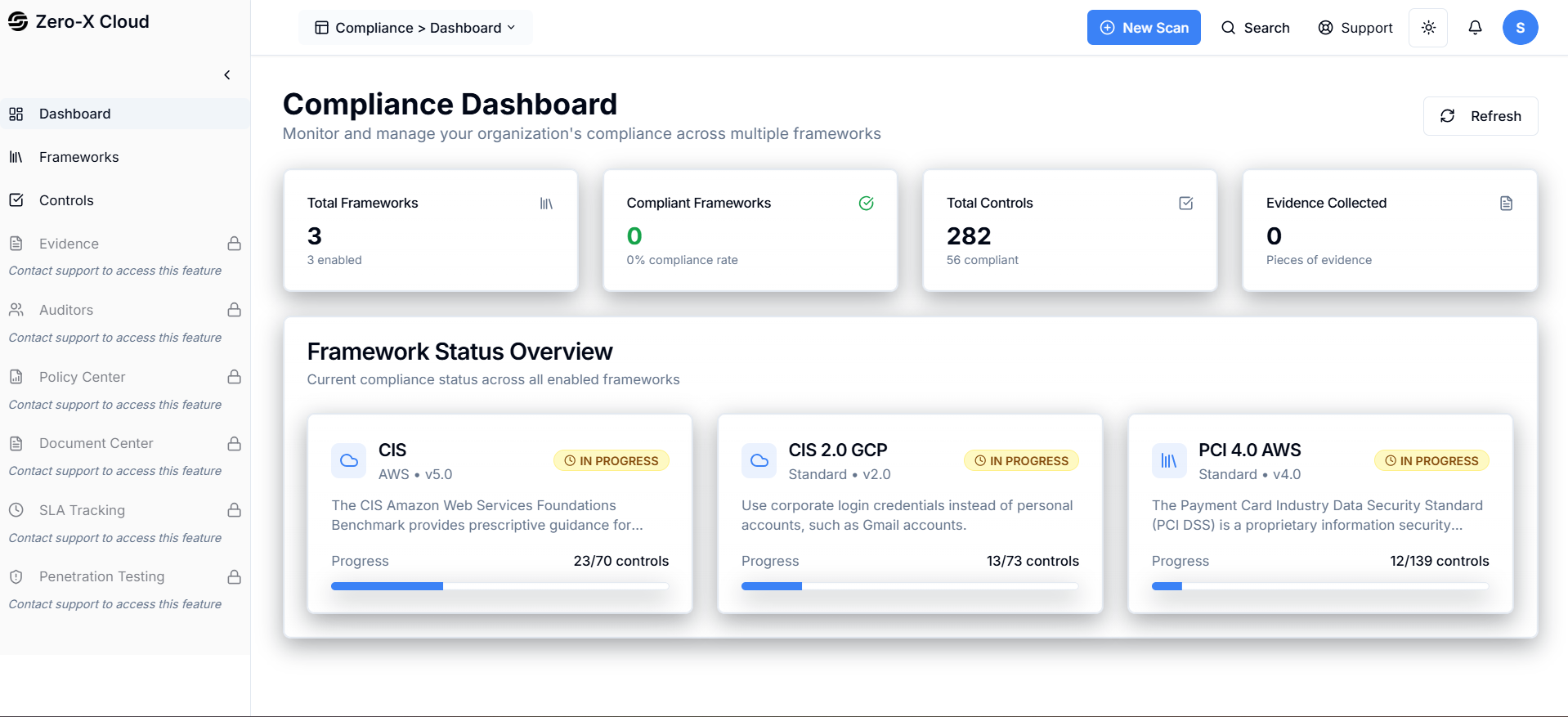
Step 1 :- Go to left side menu of Compliance dashboardStep 2 :- 2nd option is Framework
Step 3 :- Select Framework Compliance >Dashboard >Framework There are 4 Frameworks are configured
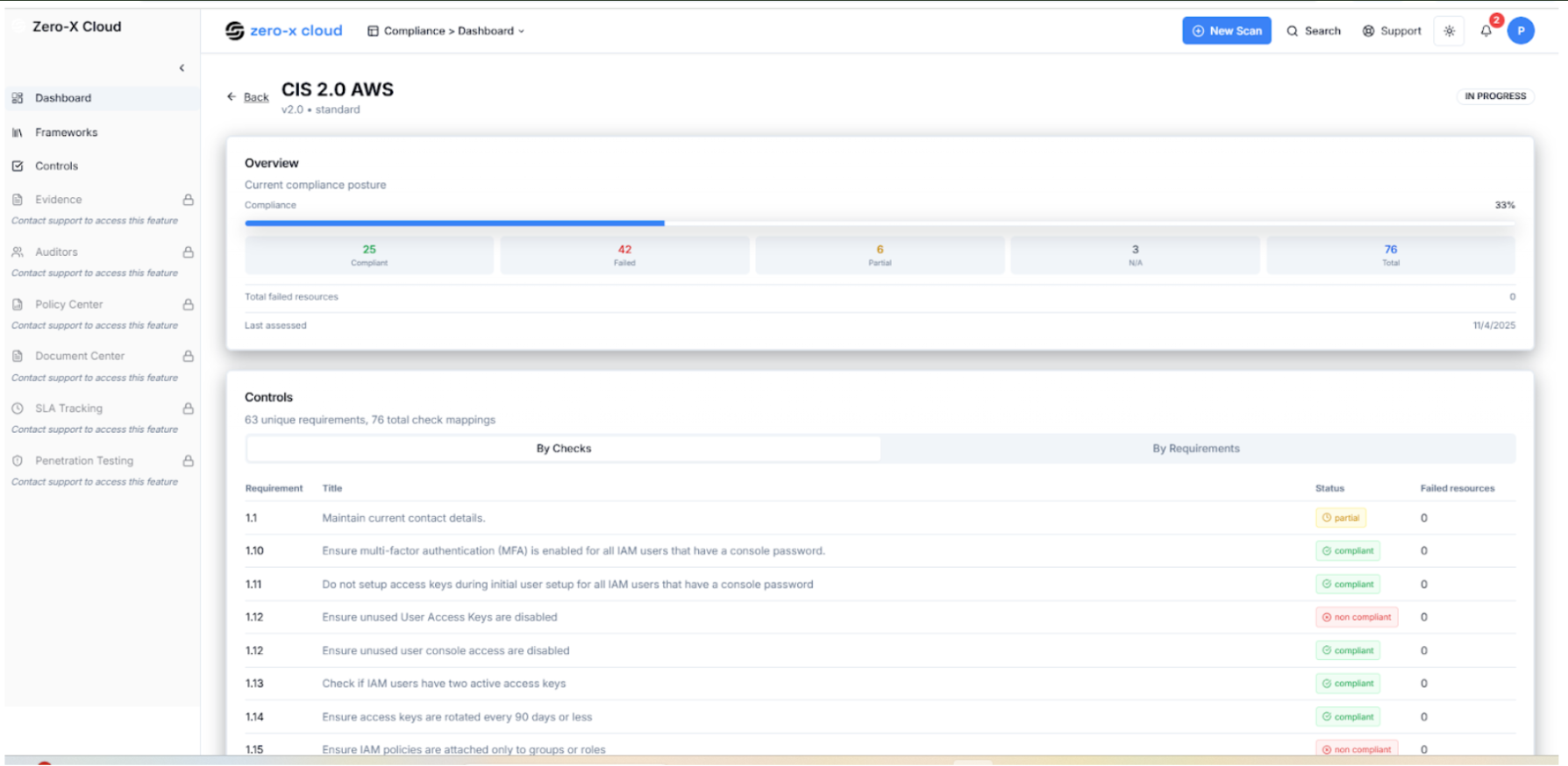
Step 5 :- just clicked on CIS 2.0 AWS
Step 6 :- You ll get list of checks mapping Like given below Here, You can Status (Complient Non Complient ) and failed Resources
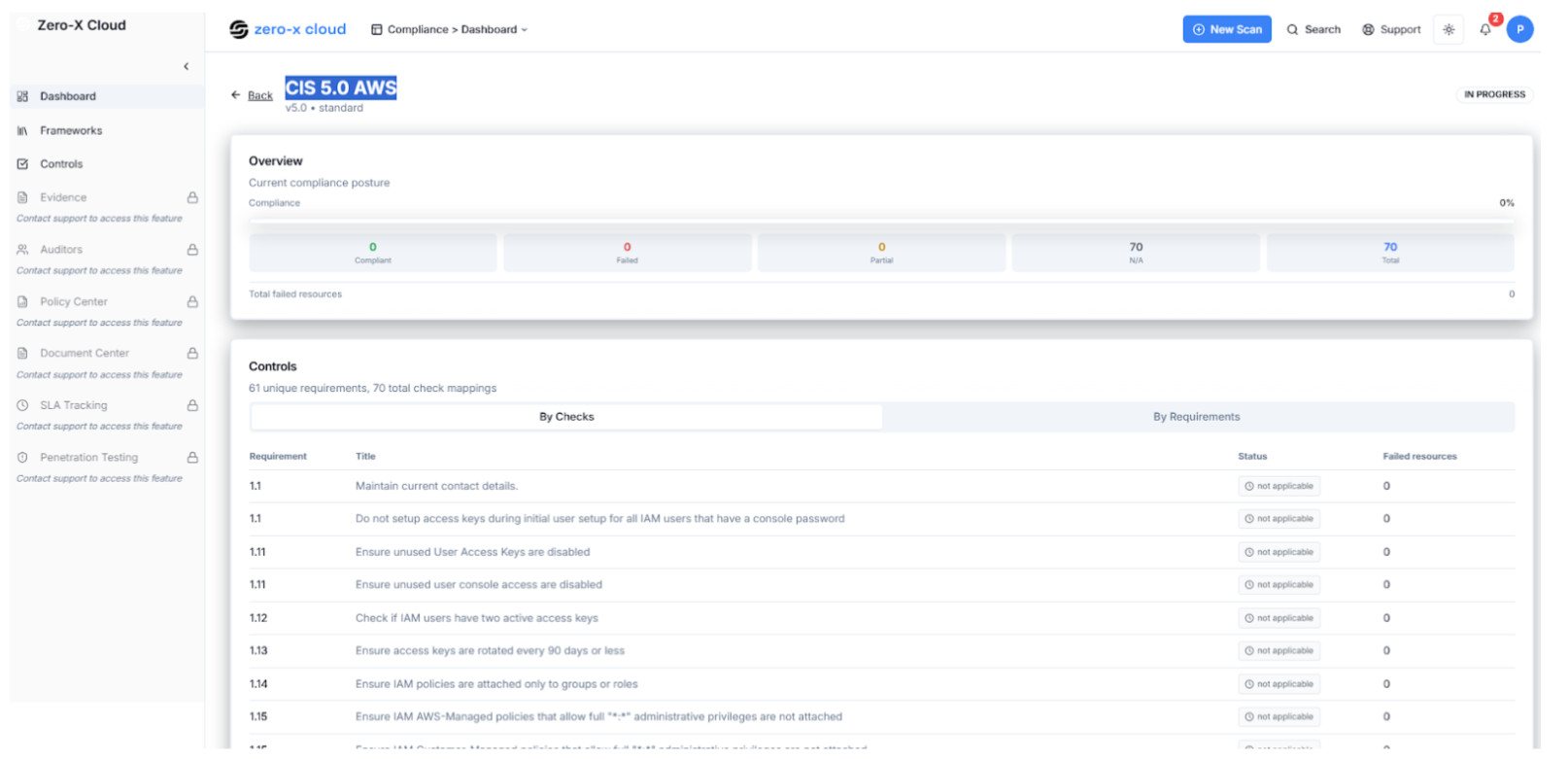
Step 8 :- 2nd is CIS 5.0 AWS Same columns are here like compliant and status
Step 10 :- 3rd is ISO 27001
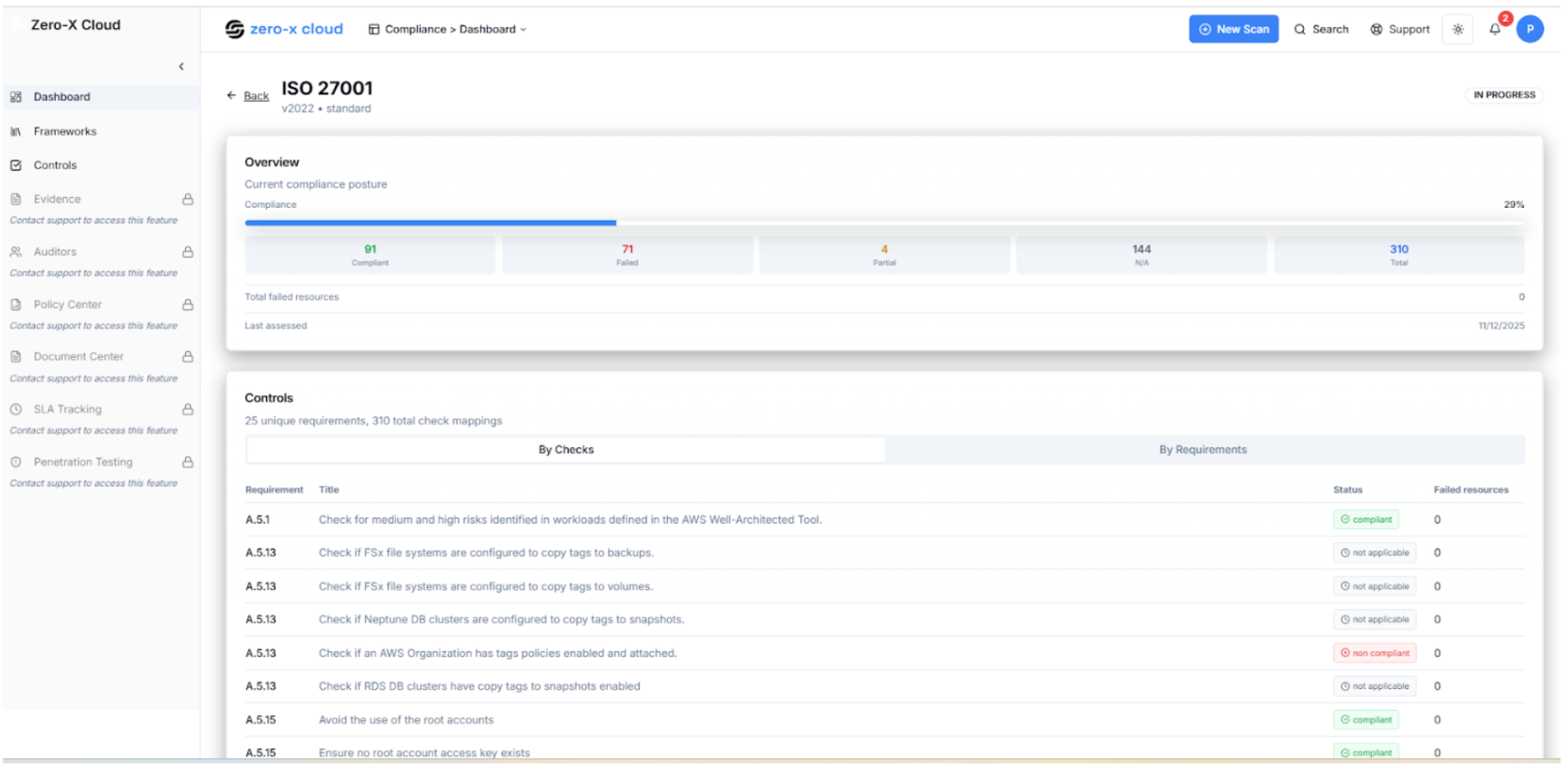
Step 12 :- You can select PCI 4.0 AWS You can Status (Complient**Non Complient ) and failed Resources

Step 1 :- Go to left side menu of Compliance dashboard
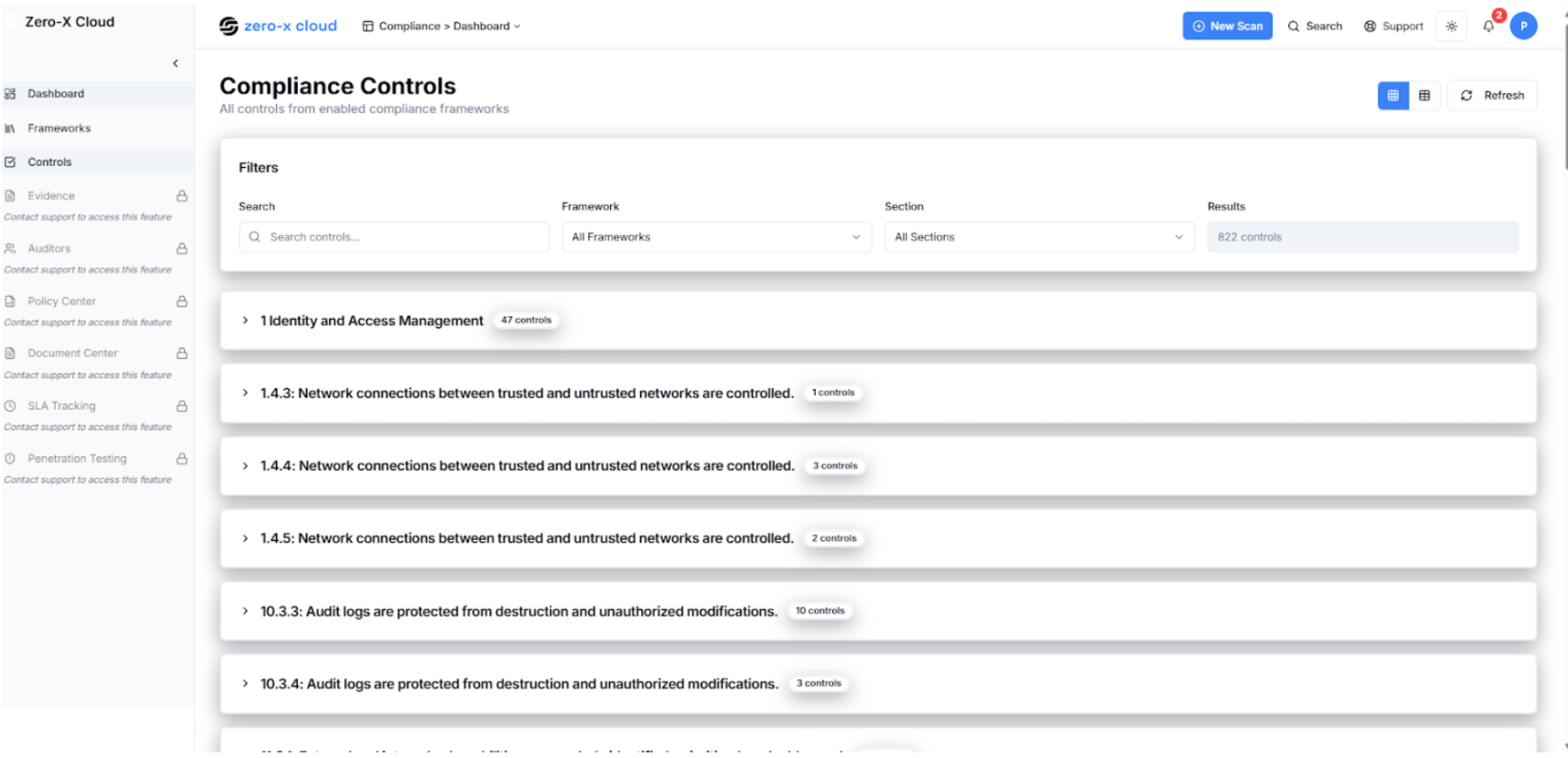
Step 2 :- 3rd option is Controls
Step 3 :- Select Controls Compliance >Controls The Compliance Dashboard allows you to monitor and manage your adherence to various industry standards and frameworks. All controls from enabled compliance frameworks