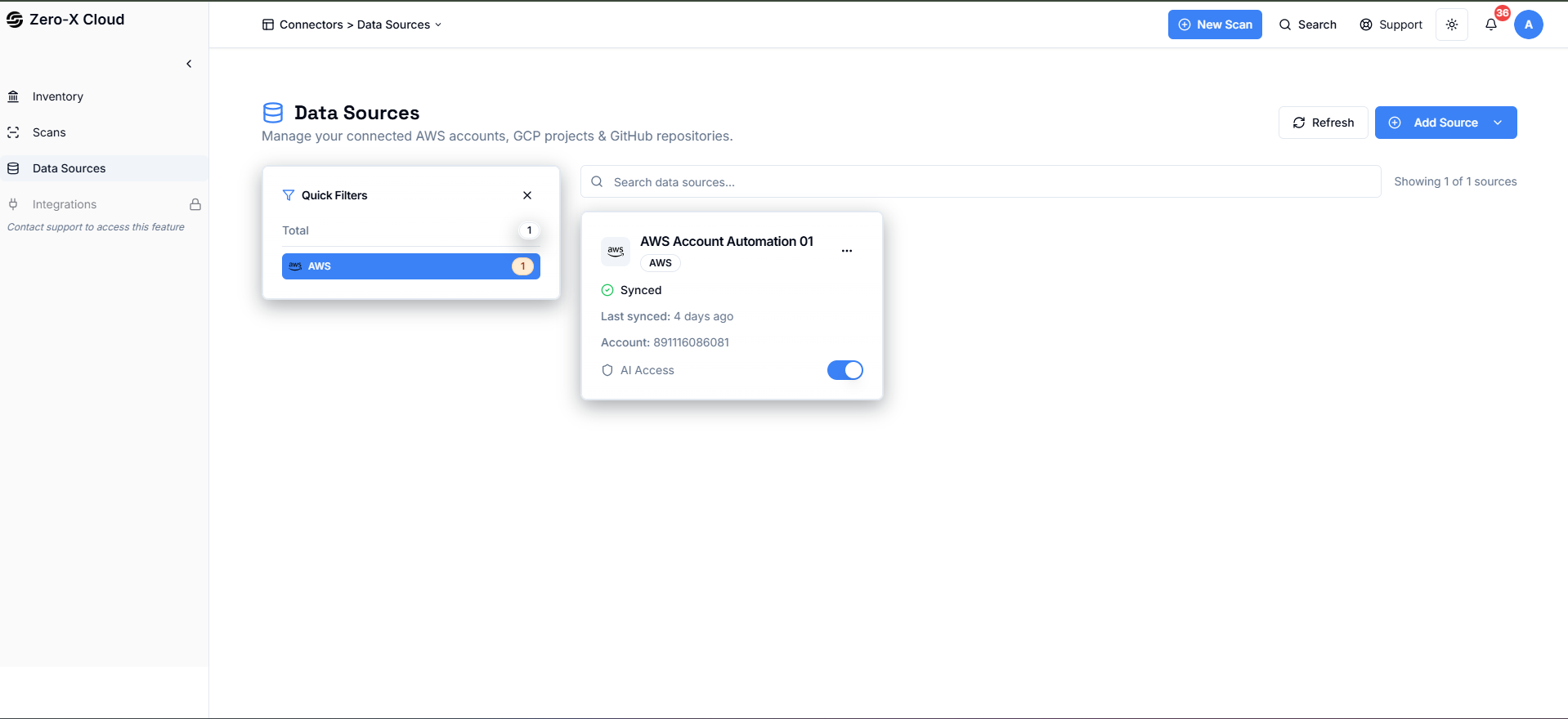
1. Connectors
Step 1: Add New Datasource
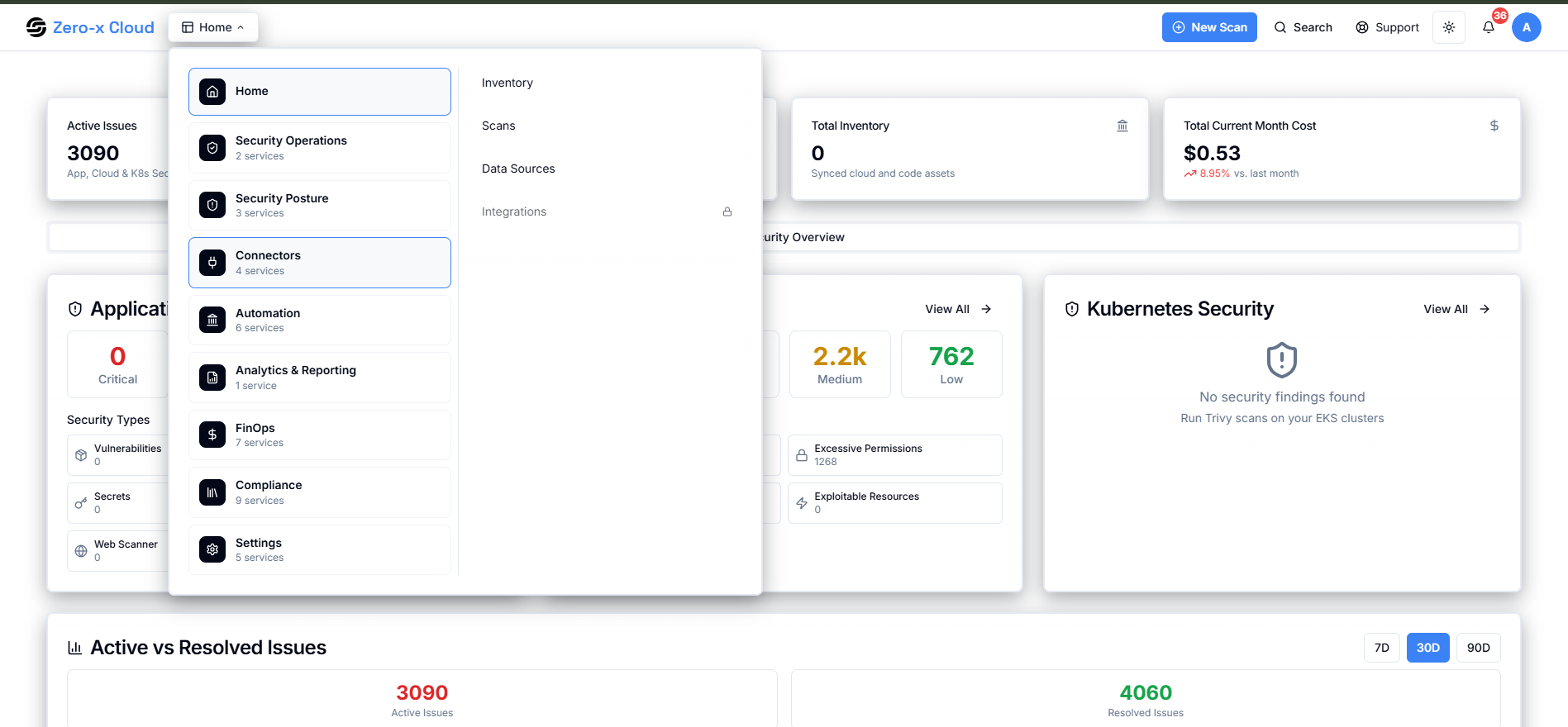
- Go to home
- Select Connectors
- Clicked on Data Source
Step 2: Select your Datasource
- Clicked on Add data source
- AWS Account
- EKS Clusters
- GCP Project
- Azure Subscription
- Wazuh Instance
- BigQuery Billing
- GitHub Repository
- Bitbucket Repo
- Docker Hub
- Amazon ECR
- On-Prem Agent
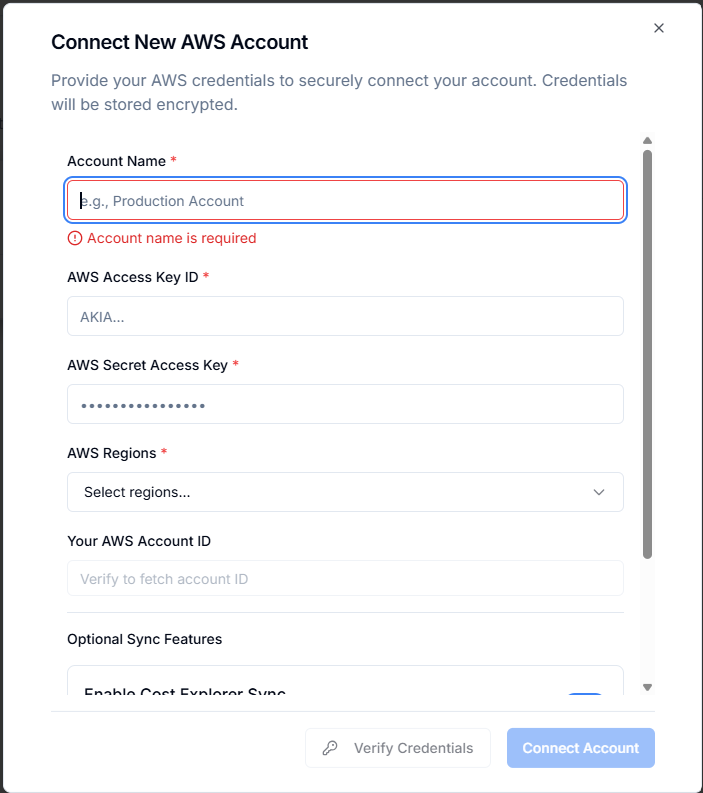
Step 3: Add Details of data source
| Step | Description |
|---|---|
| Step 1 | A user-friendly name to identify the AWS account. |
| Step 2 | Public identifier for AWS IAM user credentials. |
| Step 3 | Private key paired with the Access Key ID. |
| Step 4 | Select one or multiple AWS regions. |
| Step 5 | 12-digit AWS account ID. |
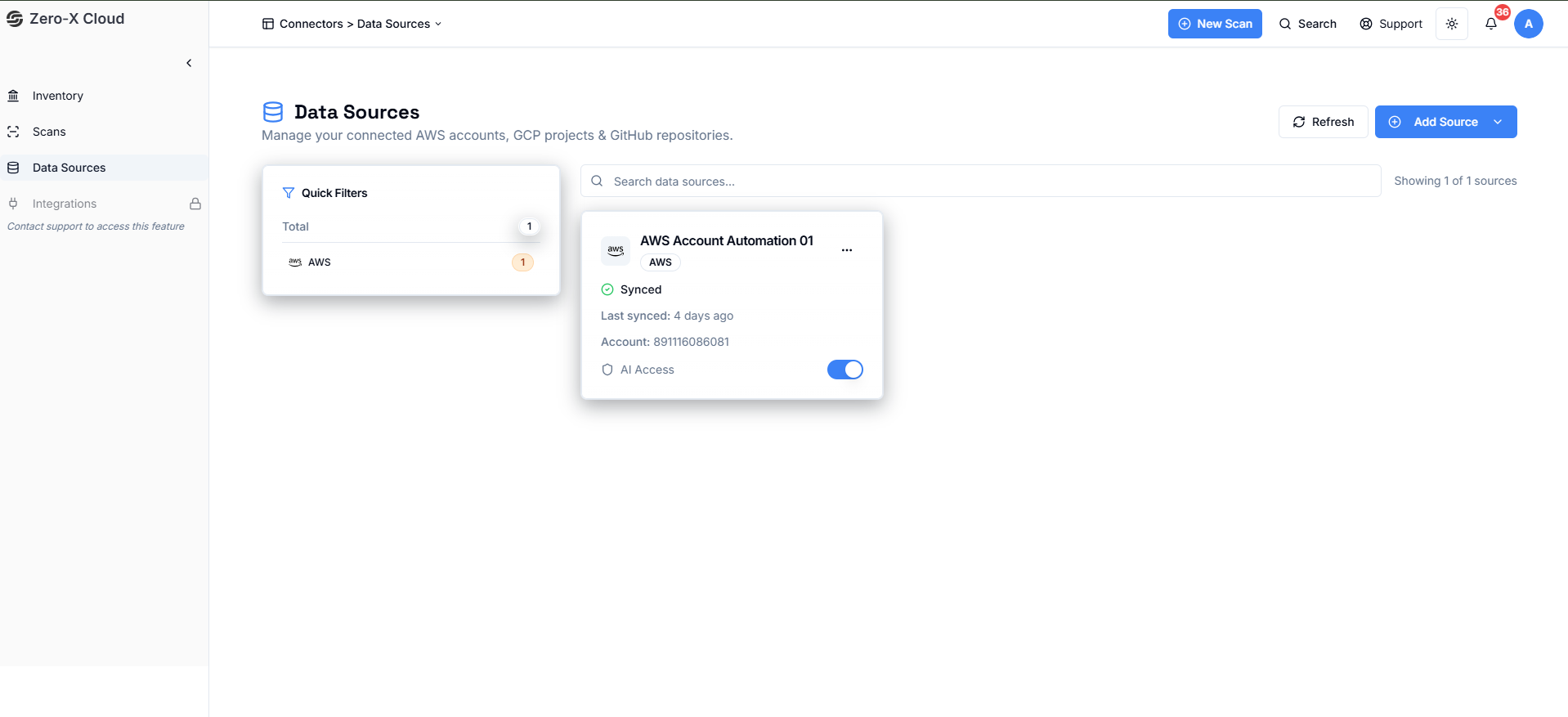
After Add Data Source
Now you can see your data source here.