

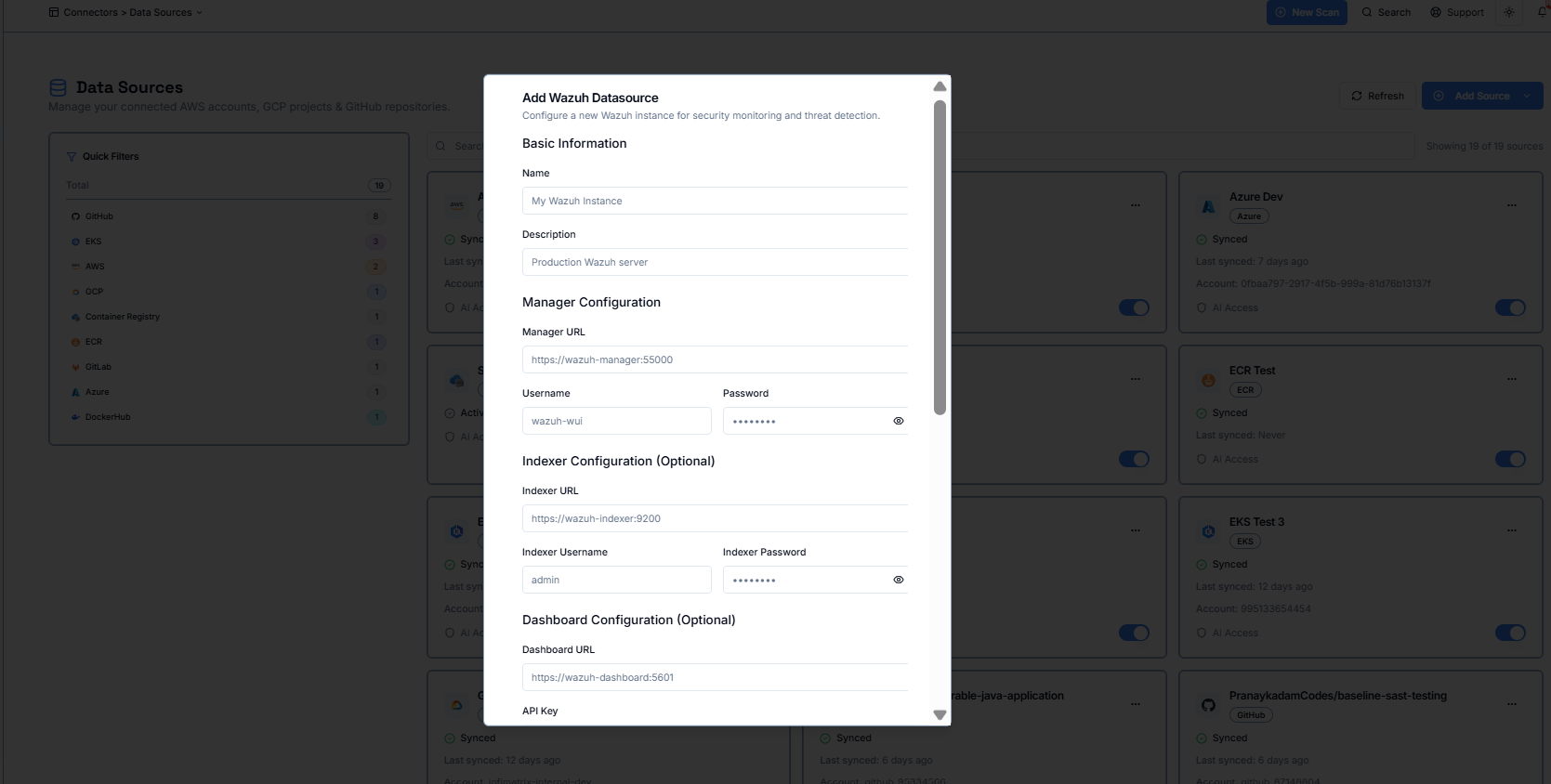
Step 2 :- Provide your Wazuh Manager URL, username, and password to allow Zero-X to connect to your Wazuh server.
Step 3 (Optional) :- Add Indexer details if you want to sync indexing data, including the Indexer URL and login credentials.
Step 4 (Optional) :- Add Dashboard details if you want to integrate Wazuh dashboards by providing the Dashboard URL and API key.
Step 5 (Optional) :- Adjust advanced settings such as timeout, retry limits, rate limits, or SSL preferences if your environment requires custom configuration.
Step 6 :- Enable the datasource and choose whether to set it as your default Wazuh connection.