

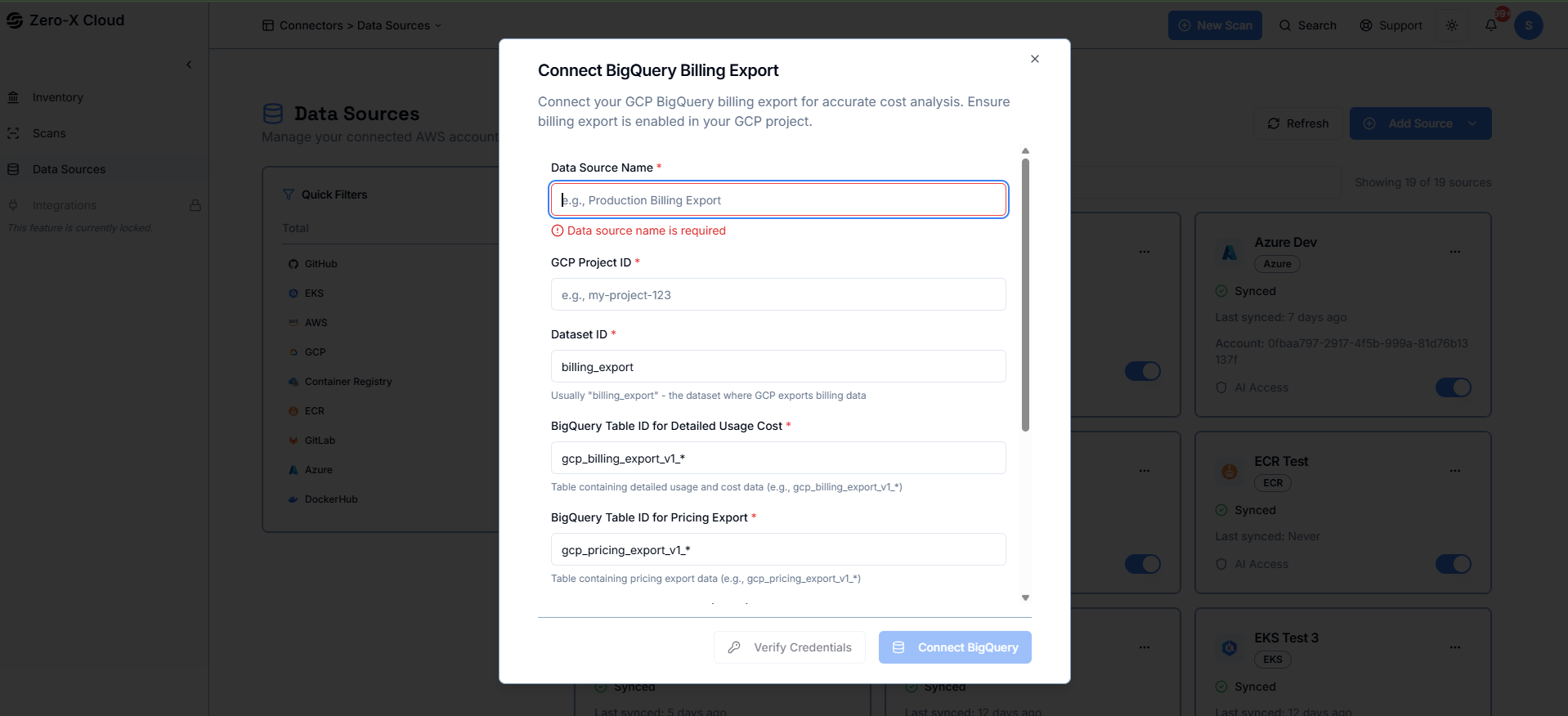
Step 2 :- Enter the Dataset ID used for billing export, along with the table names for detailed usage costs and pricing data.
Step 3 :- Paste your Service Account JSON credentials to allow Zero-X to access your BigQuery billing tables securely.
Step 4 :- Confirm that billing export is enabled in your GCP project and that the service account has the required BigQuery permissions.
Step 5 :- Connect the datasource to start syncing usage and cost data for analysis.